Images
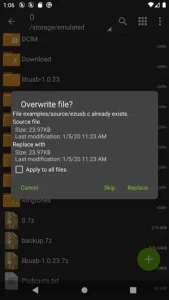
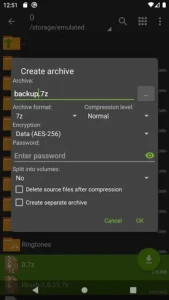
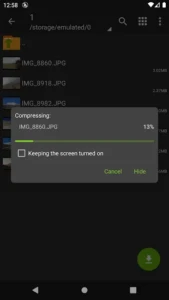
Description
File management and archive handling are essential for many Android users — whether you deal with ZIPs, RARs, 7z files, or game data archives. That’s where ZArchiver truly shines. On this page you’ll find everything you need to know about ZArchiver Pro APK, ZArchiver Donate APK, and how to get older versions (including ZArchiver old version APK) safely and easily.
What is ZArchiver?
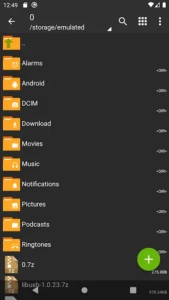
ZArchiver is a lightweight but powerful Android app for compressing, decompressing, viewing, and managing archive files. With it you can handle various archive formats like ZIP, ZIPX, 7z, TAR, GZIP, BZIP2, XZ, RAR (extraction only), and many more.
It supports both internal and external storage, which means you can manage archives stored on your phone’s memory or SD card — ideal for freeing up space or preparing large files for transfer.
ZArchiver is often compared to desktop archive managers such as WinRAR or 7-Zip, but optimized for Android. Its small size and minimal resource requirement make it especially useful for older or lower-end devices.
Why Choose ZArchiver Pro APK / ZArchiver Donate APK?
While the free version of ZArchiver is already feature-rich, the premium variants — ZArchiver Pro APK (also referred to as ZArchiver Donate APK) — unlock additional functionality that power users, developers, and modders will appreciate.
Key benefits include:
-
Create and decompress multiple archive formats — not only common archives like ZIP or 7z, but also complex multi-part archives or split archives (e.g.,
.7z.001,.zip.001, part files). -
Password-protected archives — secure sensitive files and folders with encryption and password protection. UTF-8/UTF-16 filename support ensures that archives with non-Latin filenames work flawlessly.
-
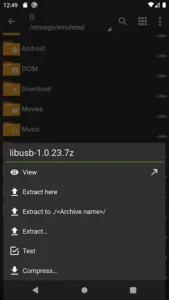
Edit archives without full decompression — add, remove, or replace files inside archives directly, which speeds up tasks and saves storage/time.
-
Partial extraction & selective decompress — extract only specific files or folders from large archives, instead of decompressing the entire archive — saving both time and space.
-
Multithreading support & efficient performance — optimized for modern multi-core processors to ensure fast compress/decompress operations.
-
Light and Dark themes — more UI flexibility, especially for night-time usage.
For people who want more control, flexibility, and advanced archive management on Android, ZArchiver Pro / Donate is a worthwhile upgrade from the free version.
How to Download ZArchiver Pro APK / ZArchiver Donate APK / ZArchiver Old Version APK
✅ Downloading Pro / Donate Version
To get ZArchiver Pro APK (or ZArchiver Donate APK), you need to download the corresponding APK file. The Pro/DONATE version grants extra capabilities beyond the standard app.
📥 Downloading Older Versions
If your device is older, or you face compatibility issues with the latest version, many sites (like the version archives) offer the app’s history, allowing you to download an old version APK. This is helpful when newer updates introduce bugs or performance issues.
On such pages, you can find versions like 1.0.10, 1.0.9, 1.0.8, 1.0.7, etc., each with their file size and compatible Android version listed.
Important: Always enable “Unknown Sources” (or “Install from unknown apps” on newer Android versions) before installing any APK not downloaded from official stores. After installing, verify the app for stability and security.
When Should You Use ZArchiver APK Old Version?
There are several scenarios where opting for ZArchiver APK old version makes sense:
-
Older Android devices — If your device runs an older Android build (e.g., Android 4.x or 5.x), the latest ZArchiver may not be fully compatible. Older versions often support older API levels.
-
Performance/stability issues — New updates sometimes introduce bugs or heavier resource usage. Going back to a proven old version can restore smooth performance.
- User preference — Some users might prefer an interface or behavior from previous releases. Rollbacks give you that control.
Safety & Best Practices for Downloading APKs
When installing ZArchiver Pro APK or older versions from external sources, keep these safety tips in mind:
-
Always download from trusted websites or familiar APK repositories to reduce the risk of malware or tampered files.
-
After download — before installing — enable “Unknown Sources” (or the equivalent setting) carefully in your security settings.
-
Scan the APK with a reliable antivirus or malware scanner if possible.
-
Backup important data before installing or downgrading — in case something goes wrong.
-
Prefer official or well-known sources. Avoid shady or suspicious download sites.
Conclusion
Whether you’re a casual Android user, a developer, or someone who deals with large archives or game mod files — ZArchiver remains one of the most versatile and powerful archive management tools for Android. If you want maximum flexibility, enhanced features, and more control over archives, go for ZArchiver Pro APK (or ZArchiver Donate APK).
If you face compatibility issues or want to preserve performance on older devices, grabbing a ZArchiver old version APK is a smart choice.
👉 Ready to download? Head over to the version archive section (or our download page) and choose the version that suits your device best.
Download links
How to install ZArchiver Pro Apk v1.0.10 APK?
1. Tap the downloaded ZArchiver Pro Apk v1.0.10 APK file.
2. Touch install.
3. Follow the steps on the screen.